
最近从哪吒监控到 Komari 探针面板都安装并且研究了一番,顺便折腾了一个主题美化 css 组件。包含页脚赞助和主题背景、字体和小组件的美化,下面给出完整的 css 代码。
css 代码
自定义头部
<style>:root {--font-desktop: 'MiSans', -apple-system, BlinkMacSystemFont, 'Segoe UI', Roboto, sans-serif;--font-mobile: -apple-system, system-ui, sans-serif;--bg-light: rgba(255, 255, 255, 0.85);--bg-dark: rgba(40, 40, 40, 0.85);--accent-gradient: linear-gradient(90deg, #ff3b30, #ffcc00, #34c759, #007aff, #ff3b30);}/* --- 1. 基础与全局样式 --- */@media (min-width: 641px) {* { font-family: var(--font-desktop); font-display: swap; }h1, h2, h3 { font-weight: 600; }h4, h5, h6, strong, b { font-weight: 500; }.dark .bg-cover::after { backdrop-filter: blur(1px) brightness(0.8); }.light .bg-cover::after { backdrop-filter: blur(1px) brightness(0.9); }@media (hover: hover) {img[alt="animated-man"] {transition: transform 0.3s cubic-bezier(0.34, 1.56, 0.64, 1), filter 0.2s;will-change: transform;}img[alt="animated-man"]:hover {transform: scale(1.08) translateY(-5px);filter: brightness(1.1);}}}img[alt="animated-man"] {position: absolute;right: 6px;top: -115px;z-index: 50;width: 115px;transform: scale(0.9);}footer { display: none !important; }@keyframes fadeIn {0% { opacity: 0; transform: translateY(10px); }100% { opacity: 1; transform: translateY(0); }}@keyframes borderFlow {to { background-position: 0 0, 200% 0; }}/* --- 2. 赞助商滚动条样式 --- */.bm-wrap {width: 100%;margin: 40px auto 30px;display: flex;justify-content: center;}/* 合并了原本的 .bottom-marquee 和 .bm-track 的逻辑 */.bm-track {width: min(92vw, 980px);height: 48px;border-radius: 999px;box-shadow: 0 10px 24px rgba(0,0,0,0.12);backdrop-filter: blur(10px);-webkit-backdrop-filter: blur(10px);position: relative;background: var(--bg-light) padding-box, var(--accent-gradient) border-box;border: 2px solid transparent;background-size: auto, 200% 100%;animation: borderFlow 6s linear infinite, fadeIn 0.8s ease-out forwards;display: flex;align-items: center;justify-content: center;gap: 10px;padding: 0 24px;overflow: auto hidden;scrollbar-width: none;list-style: none;margin: 0;}.dark .bm-track {background: var(--bg-dark) padding-box, var(--accent-gradient) border-box;box-shadow: 0 10px 24px rgba(0,0,0,0.3);}.bm-track::-webkit-scrollbar { display: none; }.bm-track li {font-weight: 600;font-size: 14px;white-space: nowrap;flex-shrink: 0;}.bm-track a {display: flex;align-items: center;padding: 4px 6px;transition: transform 0.2s ease, opacity 0.2s ease;}.bm-track a:hover {transform: translateY(-1.5px);opacity: 0.85;}.bm-track img {height: 28px;max-width: 130px;width: auto;object-fit: contain;}/* --- 3. 响应式适配 --- */@media (max-width: 980px) {.bm-track { justify-content: flex-start; }}@media (max-width: 640px) {* { font-family: var(--font-mobile); }.bm-track { height: 40px; padding: 0 16px; justify-content: flex-start; }.bm-track li { font-size: 13px; }.bm-track img { height: 22px; }}</style><script>window.CustomBackgroundImage = 'https://files.seeusercontent.com/2026/03/16/Egb5/misaka-E-2560px.webp';window.CustomMobileBackgroundImage = 'https://files.seeusercontent.com/2026/03/16/Z2uw/Misaka-Mobile-1080p.webp';window.CustomLogo = 'https://files.seeusercontent.com/2026/03/16/bgU6/Misaka-N1_favicon.webp';window.CustomDesc = '™';window.CustomIllustration = 'https://files.seeusercontent.com/2026/03/16/V1qc/misaka-nezha-sticker.webp';window.ShowNetTransfer = true;window.ForceUseSvgFlag = true;(function() {const isMobile = matchMedia('(max-width: 640px)').matches;if (!isMobile) {const font = document.createElement('link');font.rel = 'stylesheet';font.href = 'https://font.sec.miui.com/font/css?family=MiSans:400,500,600:MiSans&display=swap';document.head.appendChild(font);}const bgImage = isMobile ? window.CustomMobileBackgroundImage : window.CustomBackgroundImage;if (bgImage) {const preload = document.createElement('link');Object.assign(preload, { rel: 'preload', as: 'image', href: bgImage, fetchpriority: 'high' });document.head.appendChild(preload);}window.addEventListener('load', () => {const track = document.querySelector('.bm-track');if (track && !isMobile) {track.addEventListener('wheel', (e) => {if (e.deltaY !== 0) {e.preventDefault();track.scrollLeft += e.deltaY * 0.8;}}, { passive: false });}});})();</script>
自定义 Body
<div class="bm-wrap"><ul class="bm-track" role="region" aria-label="赞助商"><li>感谢</li><li><a href="https://gigo.peekabo.io" target="_blank" rel="noopener"><img src="https://files.seeusercontent.com/2026/03/16/He1b/Sharon-Logo.png" alt="Sharon"></a></li><li><a href="https://peekabo.io/aff.php?aff=1" target="_blank" rel="noopener"><img src="https://files.seeusercontent.com/2026/03/16/z8iV/Peekabo-Logo.png" alt="Peekabo"></a></li><li><a href="https://gomami.io/aff.php?aff=58" target="_blank" rel="noopener"><img src="https://files.seeusercontent.com/2026/03/16/dQ5p/GoMami-Logo.png" alt="GoMami"></a></li><li><a href="https://neburst.com/register?aff=bpmee" target="_blank" rel="noopener"><img src="https://files.seeusercontent.com/2026/03/16/bhO3/Neburst-Logo.png" alt="Neburst"></a></li><li><a href="https://yxvm.com/aff.php?aff=862" target="_blank" rel="noopener"><img src="https://files.seeusercontent.com/2026/03/16/e2Lw/YXVM-Logo.png" alt="YXVM"></a></li><li><a href="https://cloud.isif.net/login?affiliation_code=ryanz" target="_blank" rel="noopener"><img src="https://files.seeusercontent.com/2026/03/16/kC4y/ISIF-Logo.png" alt="ISIF"></a></li><li><a href="https://fxtransit.io/aff.php?aff=5" target="_blank" rel="noopener"><img src="https://files.seeusercontent.com/2026/03/16/m3xM/FxTransit-Logo.png" alt="FxTransit"></a></li><li>的赞助!</li></ul></div>
使用效果
桌面版

手机版(可触摸滑动)
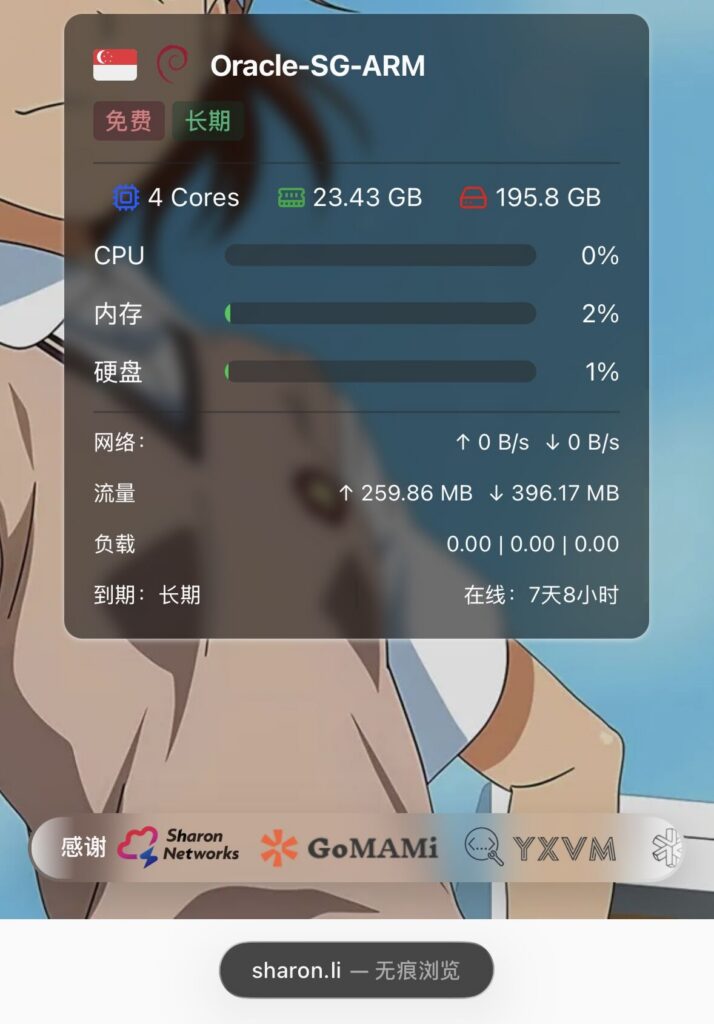
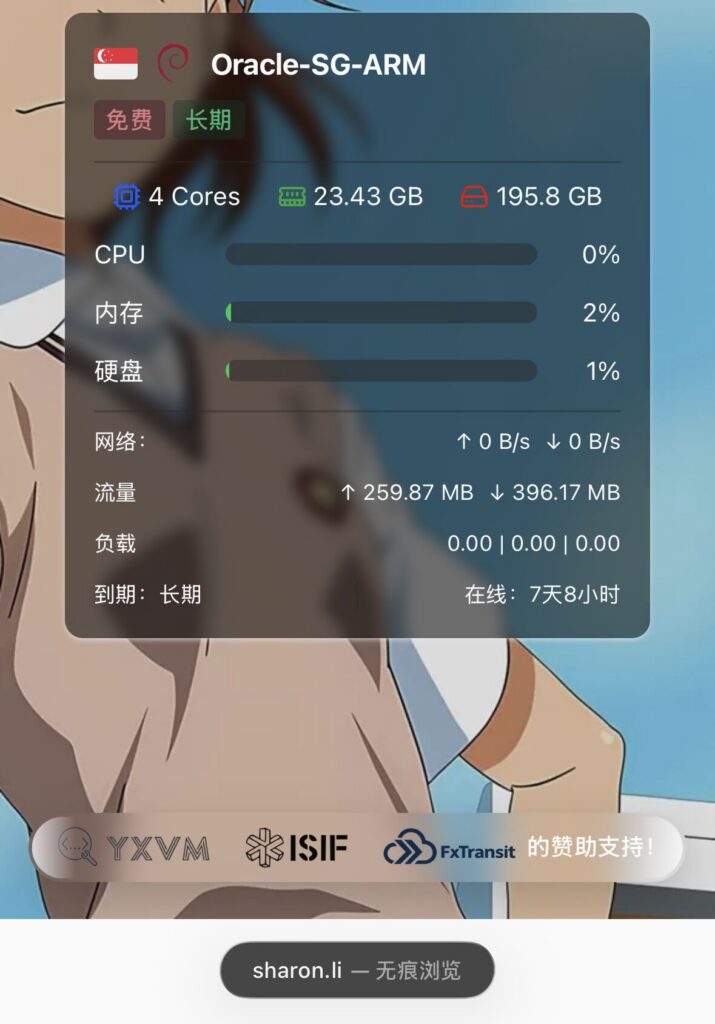
代码是纯 css,理论上哪吒监控和 Komari 探针都适用,复制完整代码添加到哪吒面板或 Komari 探针的后台自定义 css 区域保存即可生效。以上 Logo 及背景图片可以自行替换图床链接,图片 aff 链接同样自行修改替换即可。
哪吒监控使用官方默认 nezha-dash 主题即可,Komari 探针使用移植 nezha-dash 主题效果最佳。
完整效果可参考我的探针 sharon.li 。
讨论
评论